
# HTML 101
# Learning Objectives
After completing this lesson, you will be able to:
- Understand the basics of HTML
- Write HTML
- Use a handful of most-used HTML elements
# Lesson
# Overview
Hypertext Markup Language (HTML) is a markup language used for creating content to be displayed by a web browser. A markup language is a way to create structure and annotate each piece of a document. Think about a newspaper, it has columns, headings, images, quotes and more. Each piece of the newspaper page needs to clearly define hierarchy and structure to help the user make sense of the content.
The same way a newspaper uses different elements to create a clear way for the reader, HTML is a foundation for creating digital structure for content on the web.
# HTML Basics
Here is a sample of a basic HTML document:
<html>
  <body>
    <h1>Page Heading</h1>
    <div>
      <h2>Content Heading</h2>
      <p>The quick brown fox jumps over the lazy dog</p>
      <img src="./cute-cat.jpg" alt="Photo of cat" />
    </div>
  </body>
</html>
2
3
4
5
6
7
8
9
10
Here is how that document is rendered with a browser:
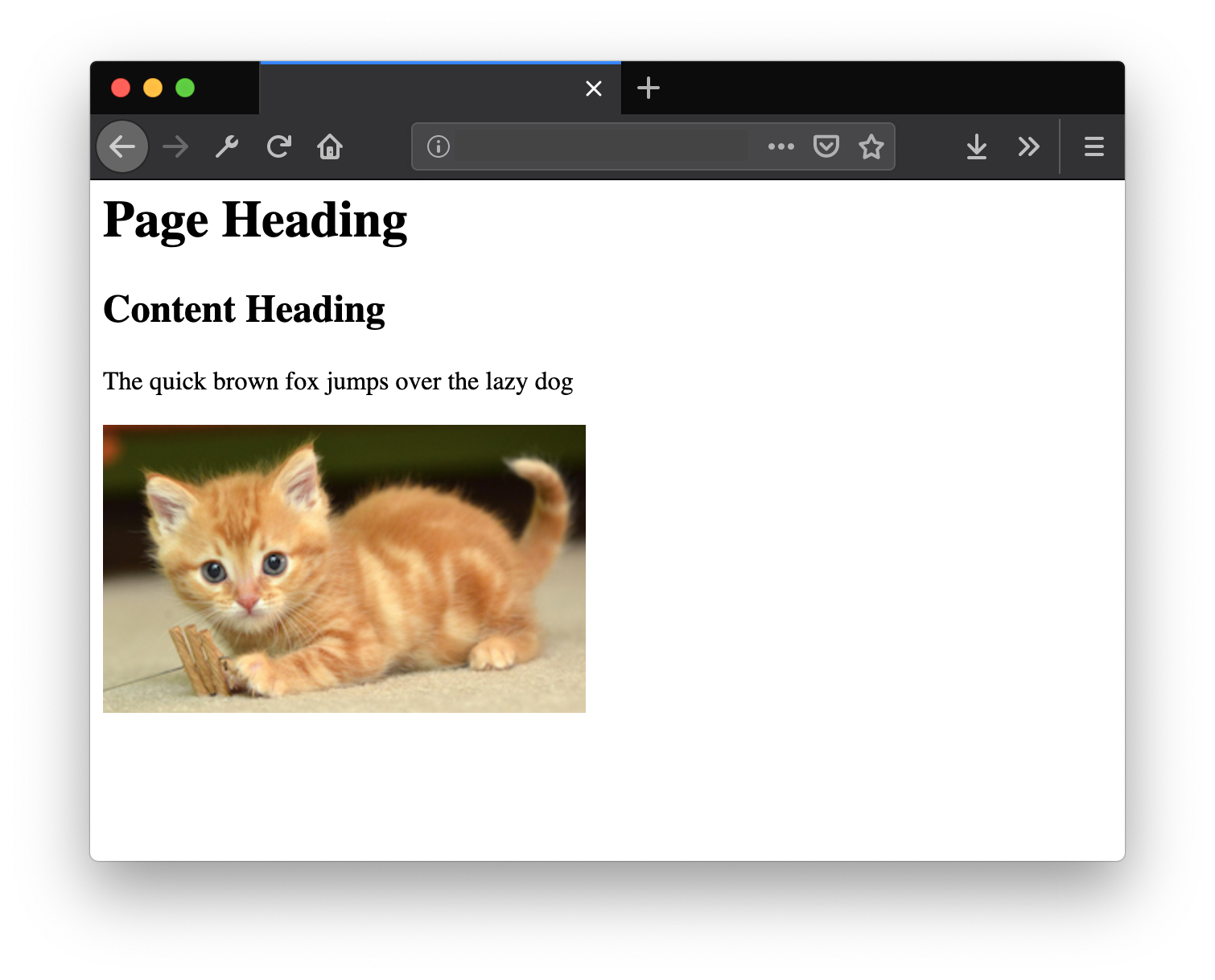
# HTML Syntax
"Syntax" is a term used for describing how a programming langues uses the order of characters to define structure and meaning.
An HTML element is made of an opening tag: <div> and a closing tag: </div> (notice the forward slash / directly after the <). Together, the opening and closing time together make an HTML element (ex: <div></div>).
An opening tag supports attributes to add more detailed annotation to the element. An attribute is always inside the opening tag, separated by a space <div class="value">.
There are many attributes, some are global (ex: class) and can be put on any element, while others are specific to the element (ex: href attribute on <a>). As you begin to write HTML you will learn about more attributes and how to use them.
# Creating a Valid HTML Document
To create a valid HTML document, browsers require specific elements:
<html>
  <head>
    <title>Sample Title</title>
  </head>
  <body></body>
</html>
2
3
4
5
6
The <html> element is the top parent, then <head> and <body> are direct children. A <title> tag goes inside the <head> and will populate the browser's tab. All of the content of the page will go in the <body> element.
# Summary
- HTML creates structure for the web (think newspapers)
- HTML is made up of elements
- HTML elements have an opening and closing tags
- HTML opening tags can include attributes with values
- HTML is made up of html, head, title, and body elements
# Training Exercises
# Small
# 1. HTML Exercises
This is a collection of HTML snippets to practice. Read the content and recreate the HTML structure described.
- Headings
You can write your thoughts here
Or rant about whatever grinds your gears
Like that Jeremy guy, for example
I mean, like what is his deal?
Why does he drink so much Coke Zero? Weird...
- Nesting Tags
- Lists
This exercise is about making lists
Here's what I like about lists:
- They're useful for displaying lists of stuff
- That's about it
- I'm gunna put another list item here because doing things in threes is cool
When you make a list, do it in this order:
- Decide if it's an ordered list or not
- If it's not an ordered list, use the ul tag, otherwise use the ol tag
- Use li tags nested in the list for your list items
- Curveball! You can nest lists inside each other
- You've got this, I believe in you!
- Lines
Lines. So many lines.
I'm sorry...
- Styling Text
Here's a couple ways you can express yourself
- If you want to sound normal, just use a regular li tag here
- If you want to sound interesting, try the italics tag
- If you want to sound annoying, try the bold tag
You did it! You should be proud of yourself
yOu DiD iT! yOu ShOuLd Be PrOuD oF yOuRsElF
- Images
For this exercise:
I want you to Google image search your full name and place the first result here:

Use the "width" attribute to make the image 200 pixels wide
- Links
This exercise is simple
Just link to any website on the internet and make the link text "Click me"
Click Me- Linking Images
This is the last exercise
Take the image from example 7 and turn it into a link that takes you to the webpage from example 8!
# Medium
# Sample Document
Now it's time to create your first valid HTML document. Make sure to include the following:
- Name the file
sample.html - Add all of the proper HTML elements to create a valid document
- Add headings, paragraphs and images to the body of the document
- Go to the w3 Schools's HTML Element Reference page and pick one or two elements you haven't used yet and put it in the page
- Group your sample content inside
<div>elements into some clear structure
Open your HTML with your web browser and look at your results!
# Large
Since this is a basic lesson there is no large HTML exercise at this time. There will be more opportunities to grow your HTML skills in the upcoming lessons.
# Interview Questions
# Fundamentals
- What is HTML?
- Are all HTML elements made of opening and closing tags?
- How many heading tags are there in HTML?
- What's the difference between a button and anchor tag?
- How do you display the copywrite character in HTML?
- What is an empty element?
- What is something new added in HTML5?
- What are the advantages/disadvantages to using
<meta name="viewport" content="width=device-width, initial-scale=1">
# Bugfix
None available at this time.
# Conceptual
None available at this time.
# Architect
None available at this time.